Account Recovery
Setup an Account Recovery for your iPad or iPhone
Step 1 – Open Settings
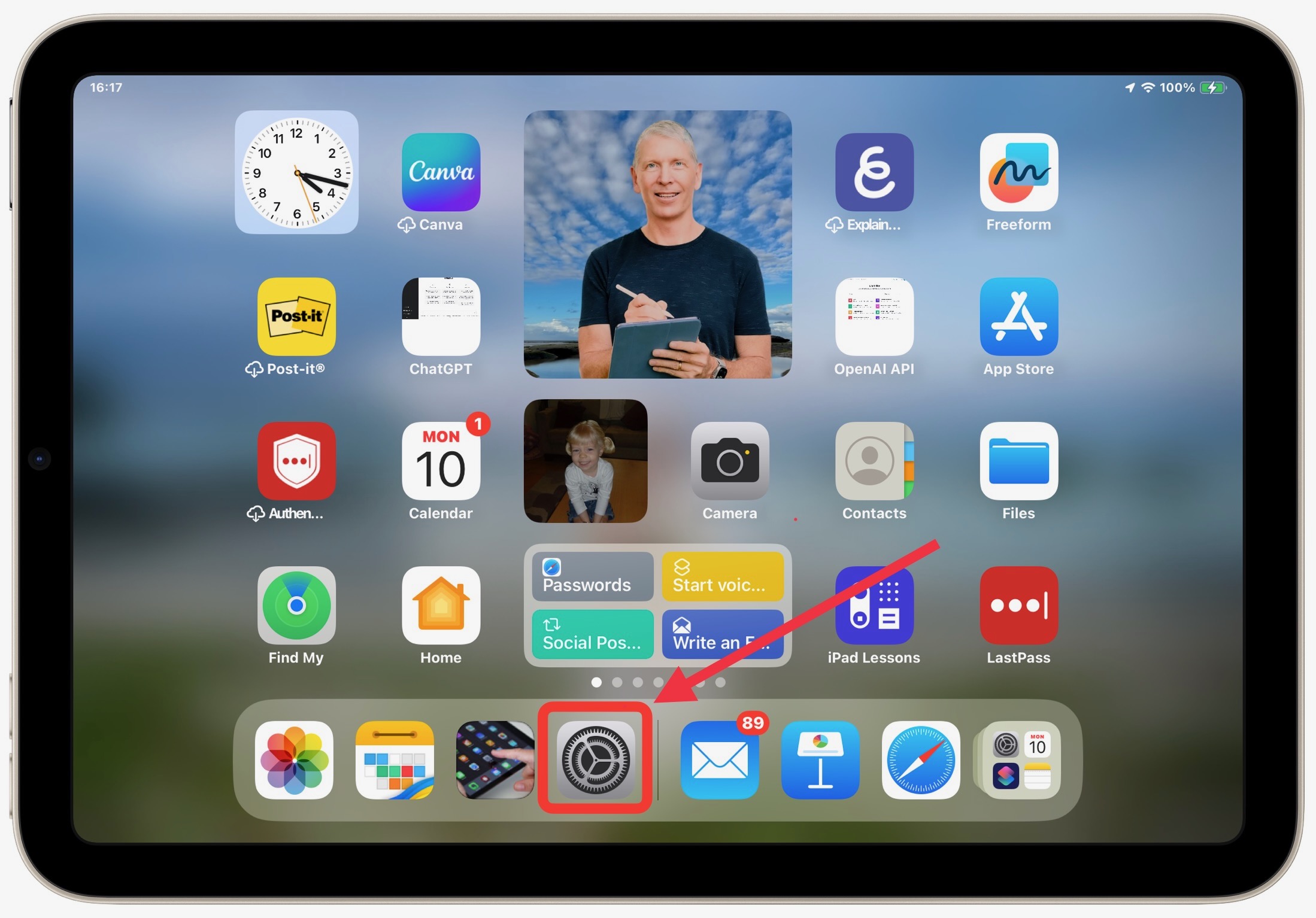
Find Your Settings App. It may not be on the bottom dock but will be located somewhere on your device.
Steps 2 & 3 – Your Name > Sign-in & Security
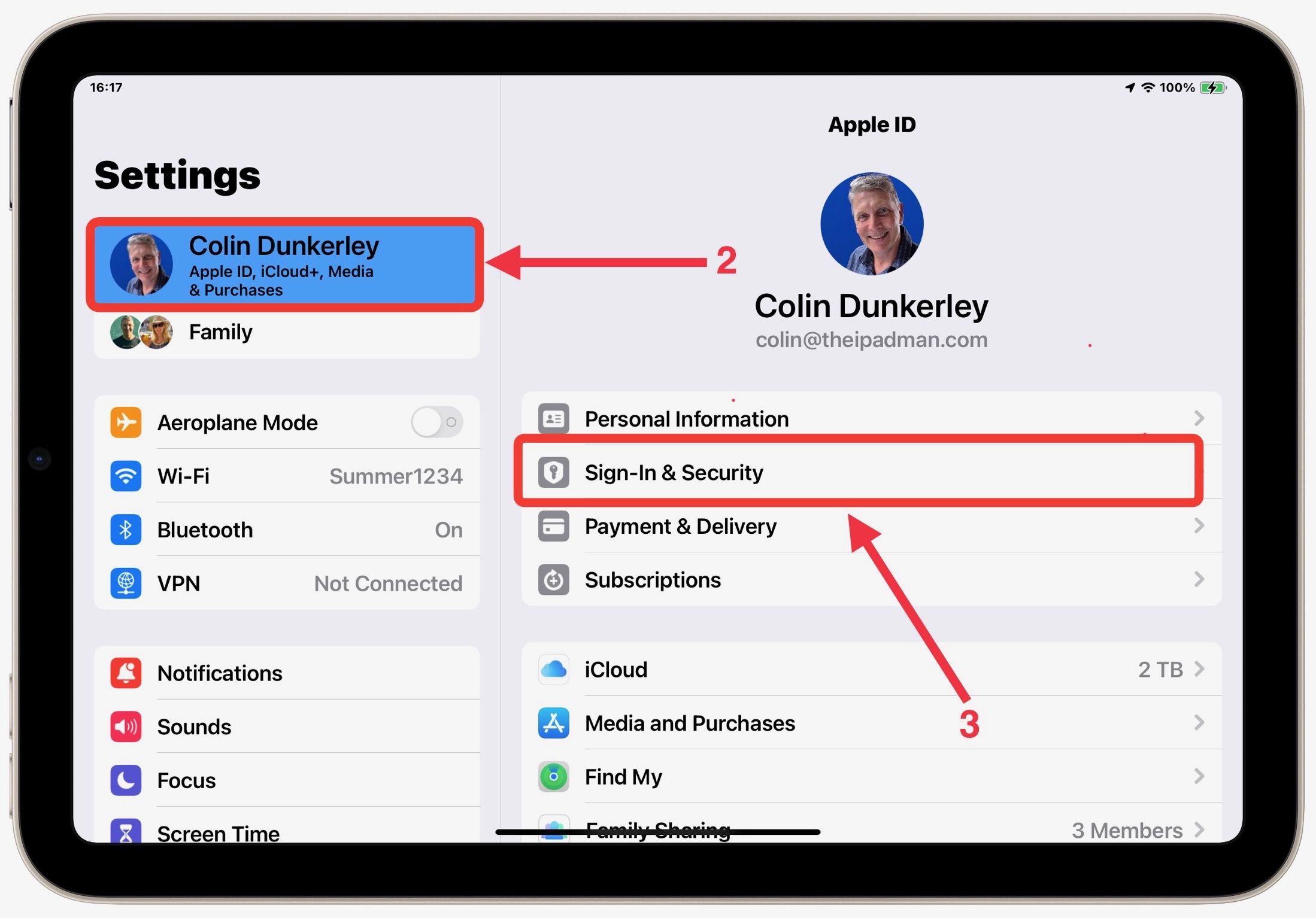
Tap on your Name in the top left of your iPad or at the top of your iPhone, then tap Sign-in & Security
Step 4 – Account Recovery
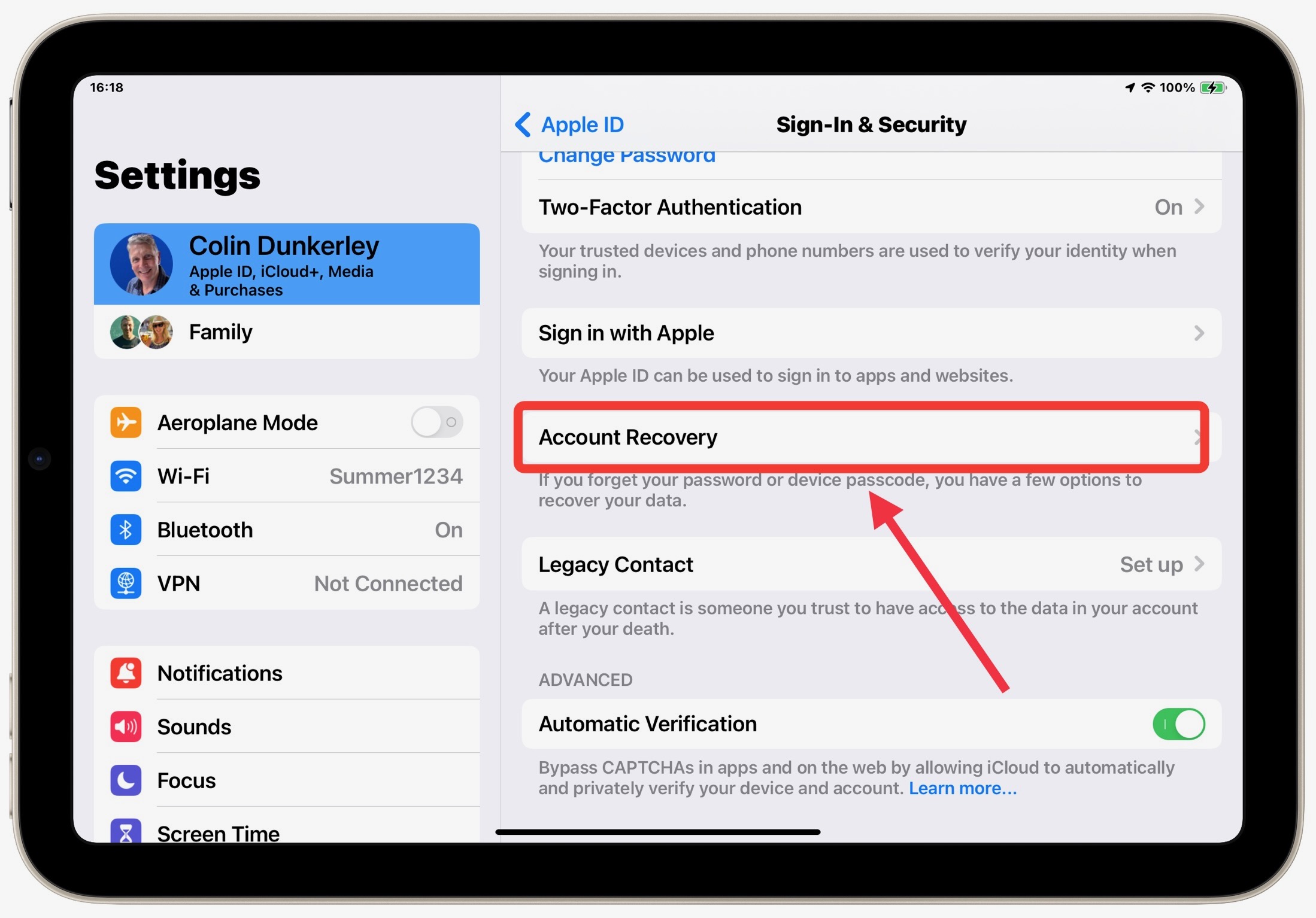
Scroll down until you see “Account Recovery”
Step 5 – Add Account Recovery
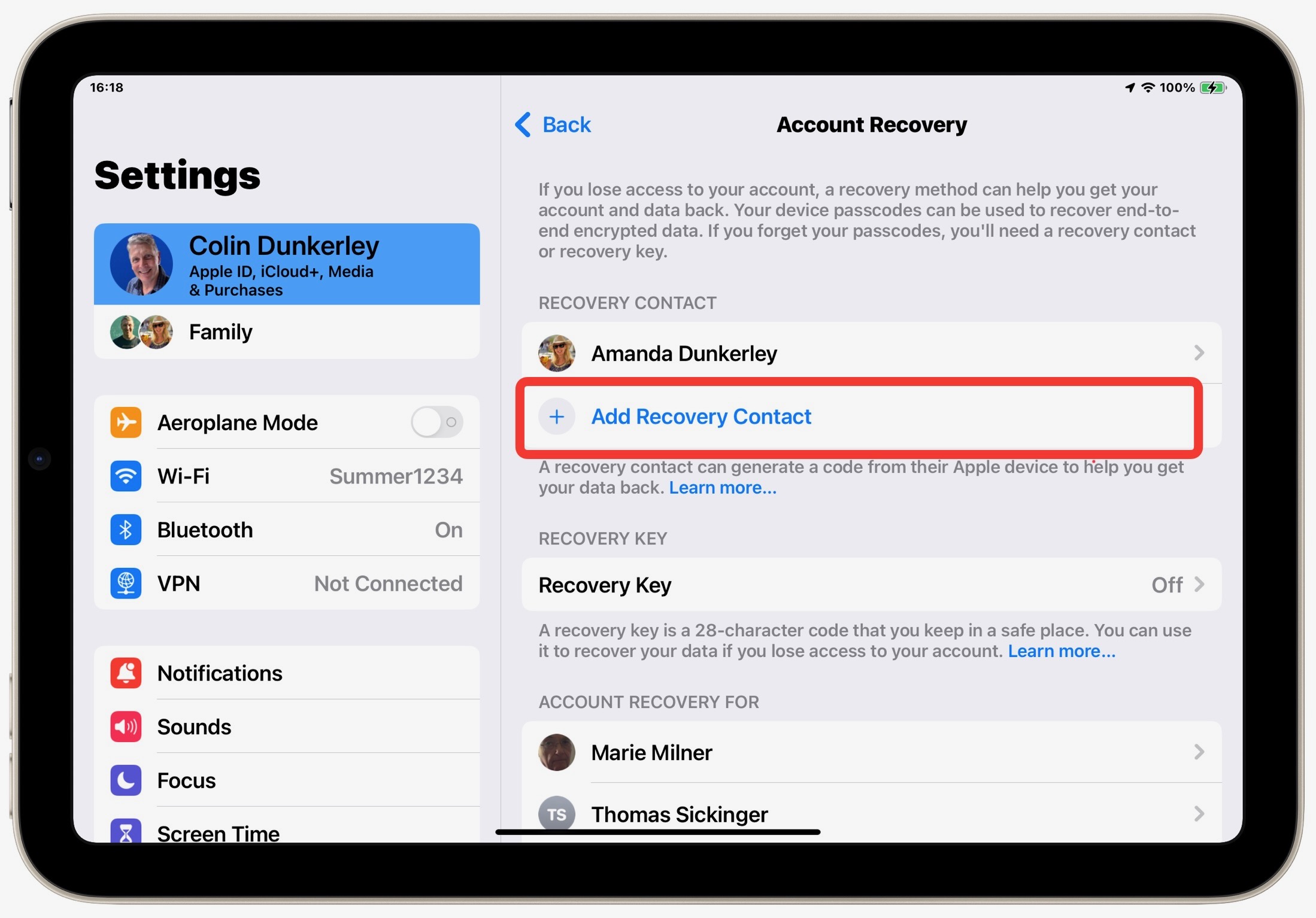
Tap “Add Recovery Contact”
Step 6 – Add Account Recovery
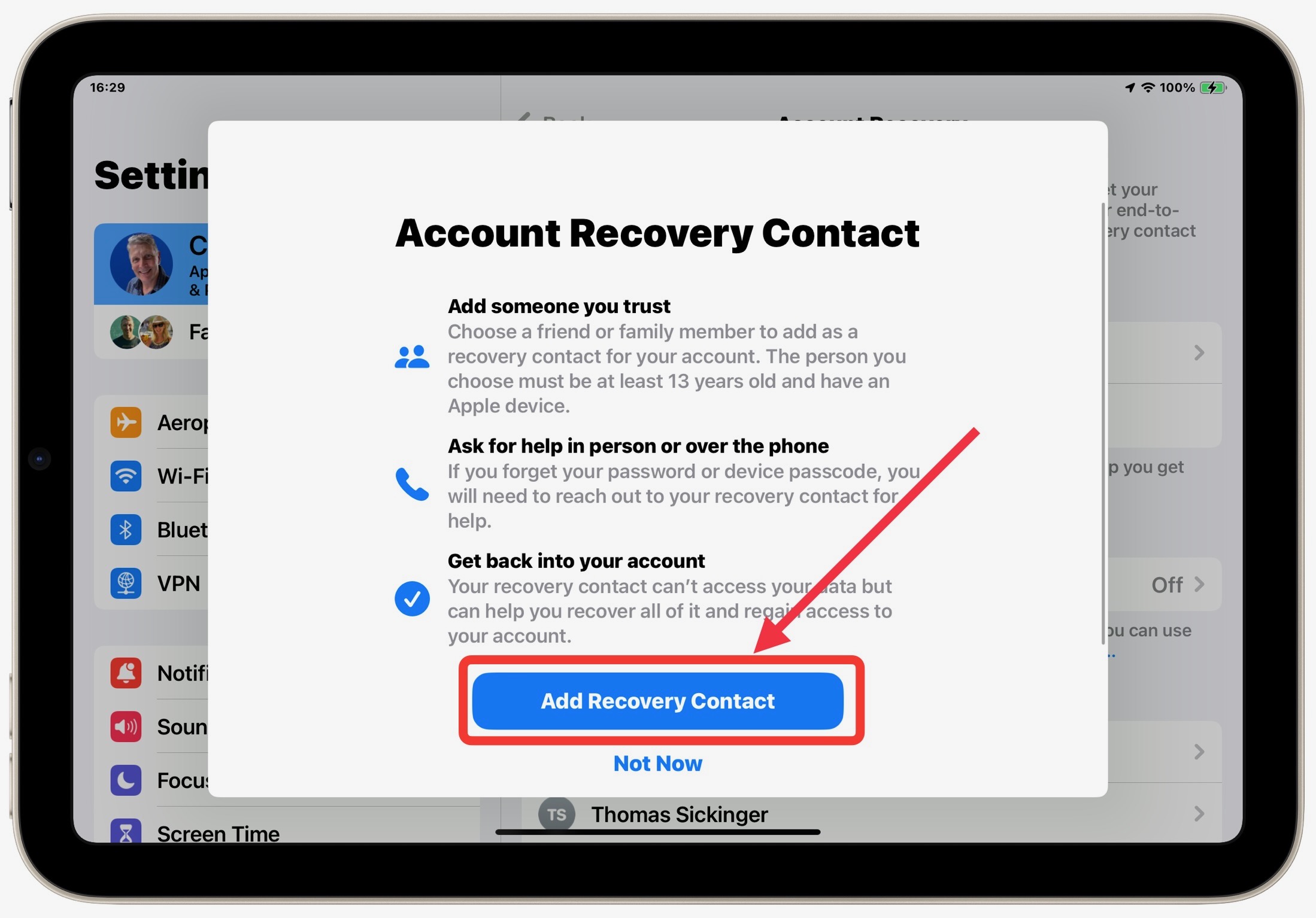
Apple will highlight the importance of this contact being someone you know and trust. Tap “Add Recovery Contact again.
Step 7 – Add Suggestion or Choose Someone Else
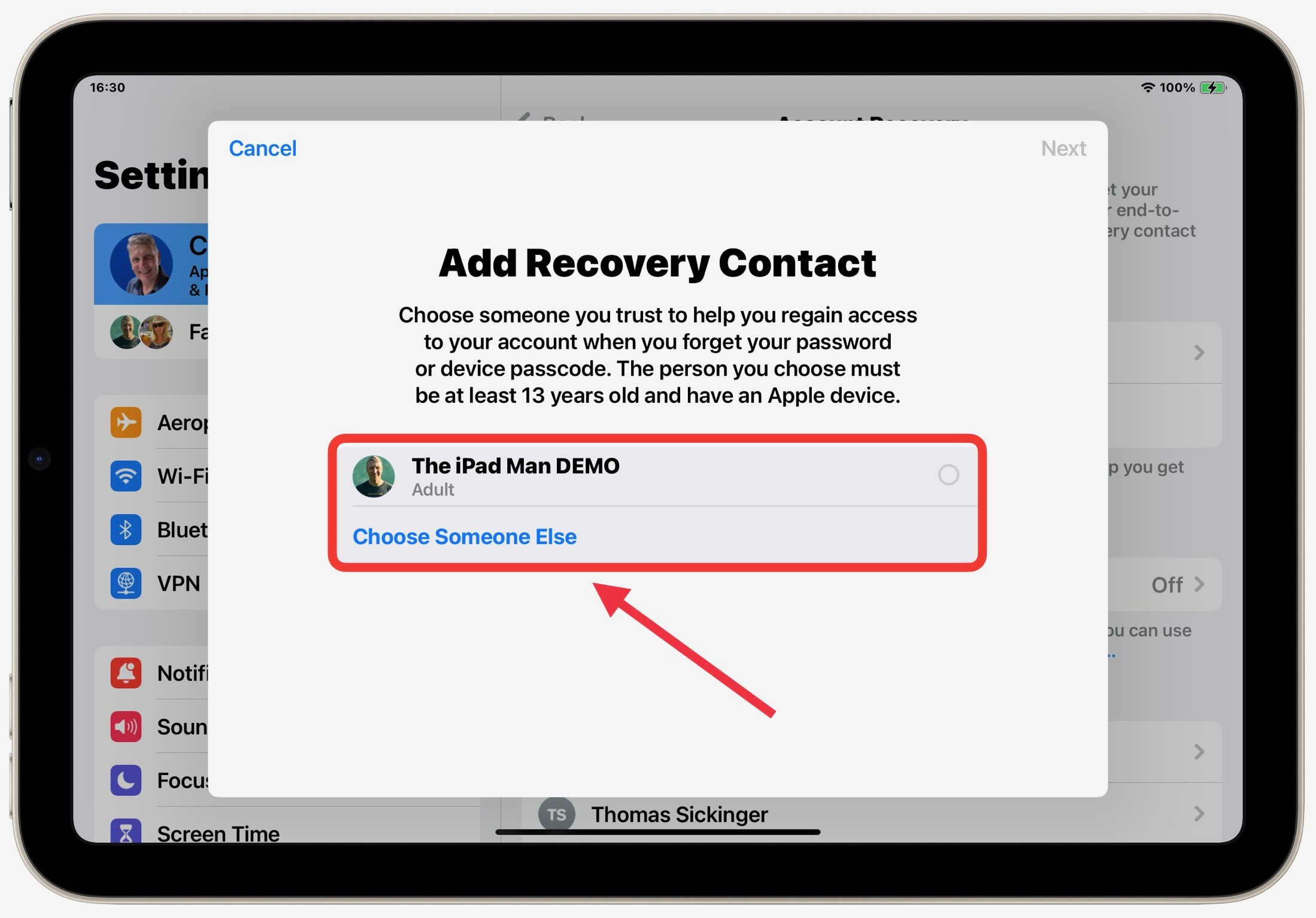
Your device may suggest a Contact (Usually if you have Family Sharing set up. Otherwise Choose Someone Else. They must be an Apple user.